// Guides · Monitoring · Canada
What are the best Shopify store monitoring tools for a Canadian store?
Last updated 28 September 2026.
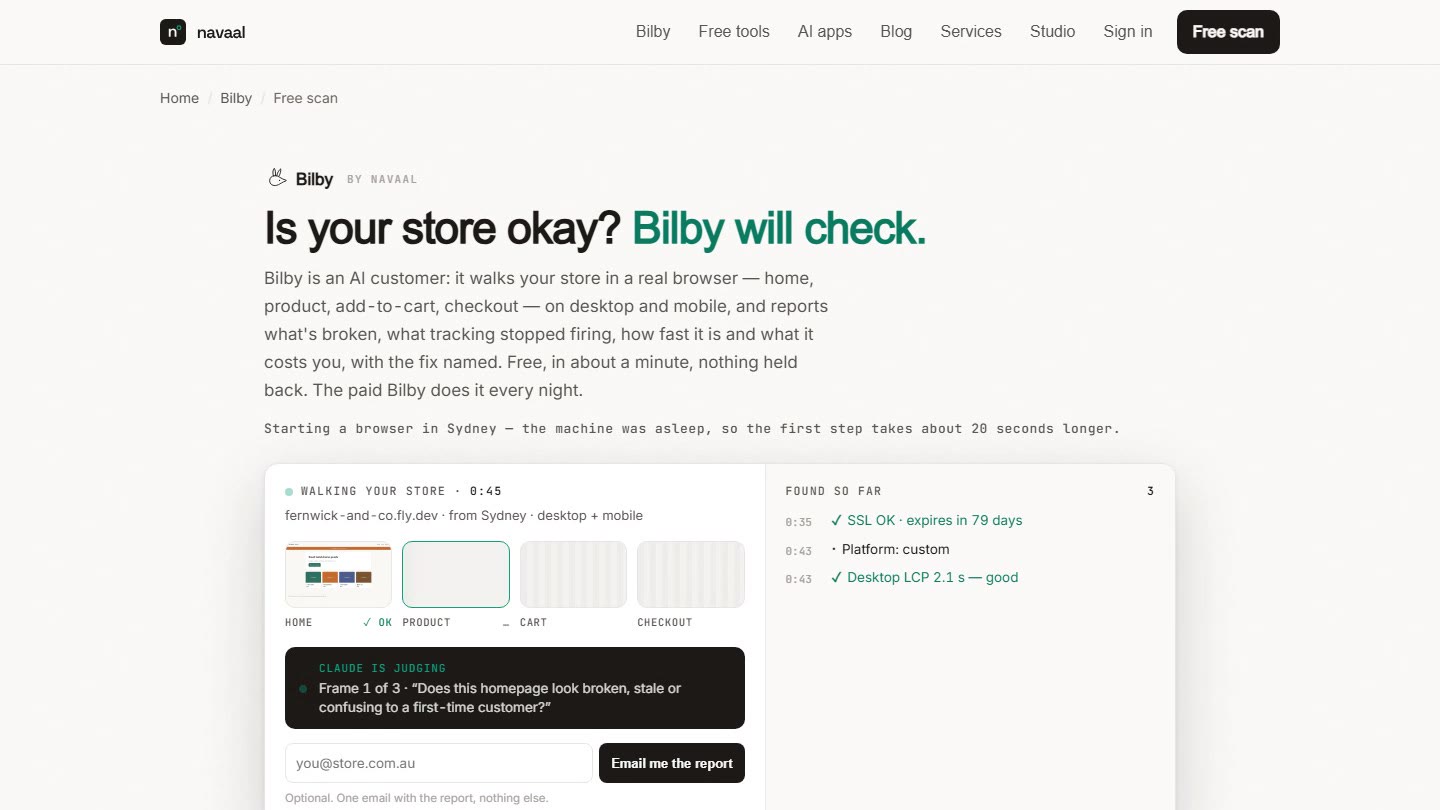
For a store in Canada the honest shortlist is: UptimeRobot if you only need to know the site is reachable (free); Checkly or Better Stack if you can write a Playwright script and want minute-level real-browser checks; Revenue Shield or the Uptime app if you want a Shopify-native checkout tester you switch on from the admin; StatusCake for page-speed polling and Visualping for page-change alerts; and Bilby, which is ours. Bilby is good at one thing: a nightly visit of the whole store in a real browser, judged like a first-time customer across 7 checks — buy path, tracking pixels, speed, what changed, rivals, search and AI visibility — with an annotated screenshot for every finding. Bilby is not good at minute-level polling (it visits once a night, plus free on-demand scans), and it never goes past the payment step so it cannot confirm a purchase. Every competitor fact below was read off the vendor's public page on 1 September 2026 and linked; where a page does not print a figure we write "not listed".
A Canada store's homepage can answer 200 to a pinger in another country while add-to-cart is dead for the customer down the road — reachability and a working buy path are different things to monitor, and where the monitor runs from changes what it sees.
The comparison table
Eight tools, one row each, what each one actually checks. "Real-browser buy path" means the tool opens a browser and clicks through product → cart → checkout, not that it fetches HTML.
| Tool | HTTP up | Page load | Real-browser buy path | Screenshots | Tracking pixels | Price / change diff | AI visibility | Price (verified 1 Sep 2026) + source |
|---|---|---|---|---|---|---|---|---|
| UptimeRobot uptime pinger |
Yes — HTTP, port, ping, keyword, DNS, SSL and domain expiry | Response time only | No | Not listed | No | Keyword presence only | No | Free (50 monitors, 5-min) · Solo $9/mo · Team $35/mo · Scale $65/mo (USD; yearly about 15% less) uptimerobot.com/pricing |
| Better Stack Uptime pinger + Playwright checks |
Yes — HTTP keyword, TCP/UDP, SSL, DNS, ping, domain expiry | Response time | Yes, if you write the Playwright script ($1 per 100 Playwright minutes) | Screenshots of errors | Only if scripted | No | No | Free (10 monitors) · +50 monitors $25/mo ($21/mo yearly) · Playwright $1 per 100 minutes (currency not stated on the page) betterstack.com/uptime/pricing |
| StatusCake pinger + page speed |
Yes — uptime, SSL, domain, server monitors | Yes — page-speed monitors (1 free at 24-hourly; 15 on Superior at 15-min) | No | Not listed | No | No | No | Free (10 monitors, 5-min) · Superior A$31.99/mo (A$26.66 yearly) · Business A$105/mo (A$87.50 yearly) — shown in A$ from Sydney; accepts USD, GBP, EUR, AUD, NZD, SGD, CAD statuscake.com/pricing |
| Checkly synthetic (Playwright) |
Yes — uptime monitors (10 free) | Via your Playwright checks | Yes, if you write the Playwright script (1,000 browser-check runs/mo free) | Yes — Playwright traces and screenshots | Only if scripted | Visual regression on Team and above | No | Hobby free · Starter $24/mo · Team $64/mo (USD; up to 20% less yearly) checklyhq.com/pricing |
| Uptime – Automated Store Tests Shopify app · Jagged Pixel, Vancouver |
Shopify platform status + third-party app monitors | Not listed | Selenium UI tests of add-to-cart and checkout (3 tests on Pro, 10 on Plus) | Not listed | Not listed | No | No | Essentials $29/mo · Pro $99/mo · Plus $299/mo (USD, billed every 30 days by Shopify; 7-day trial) · 5.0★ from 30 reviews apps.shopify.com/uptime |
| Revenue Shield Shopify app · PixelOptic, Glasgow · launched 20 Apr 2026 |
Via its scripted flows | Script size and load time | Yes — product, cart, checkout, collections, search and buy-now flows, desktop + mobile, self-healing tests | Video + screenshots + console logs | Not listed | Storefront app changes | No | Free (1 run/day) · Starter $39/mo (hourly) · Growth $79/mo or $750/yr · Agency $199/mo or $1,899/yr (15-min) (USD, Shopify billing; 7-day trial) · 5.0★ from 1 review apps.shopify.com/revenue-shield |
| Visualping change detection · Vancouver |
Indirectly (a page that fails to load changes) | No | No | Yes — visual diffs of the page | No | Yes — visual, text and element diffs with AI change summaries | No | Free (5 pages, 150 checks/mo, 60-min) · Personal from $14/mo · Business from $140/mo (currency not stated on the page) visualping.io/pricing |
| Bilby ours — judge accordingly |
Yes — plus SSL and domain expiry, forms, search, discount code | Yes — Core Web Vitals per page, desktop and mobile | Yes — real Chromium visit home → product → add-to-cart → cart → checkout, desktop 1440×900 and mobile 390×844; stops before the payment step, never places an order | Yes — annotated screenshots per finding, filmstrip per visit | Yes — GA4, Meta, TikTok, Google Ads, Pinterest, Klaviyo, Snap, Shopify pixels per step (purchase can't be verified without an order, and the report says so) | Yes — night-to-night diff of scripts, theme, prices, stock, metadata, redirects | Yes — AI-visibility line on every tier; monthly ChatGPT/Perplexity/Claude questions on Bilby Pro | Free scan (3 a day) · C$39/mo (C$390/yr — ten months' price) · Bilby Pro C$105/mo · Agency C$270/mo · 7 free nights, card up front, cancel in one click · free monthly checkup by email if you never pay navaal.ai/bilby/pricing (Stripe) and /bilby/methodology |
// Sources: each row links the page we read on 1 Sep 2026. Prices, review counts and plan limits change; check the listing before you buy. Pingdom is not in the table because its pricing page refused our fetch — we would rather leave it out than guess.
The Canada facts
The questions a Canada merchant actually asks after the feature table: what currency, from where, what about tax, when is someone awake, and when does the visit happen.
| Billing currency | Bilby: CAD (Stripe; USD, AUD, GBP, CAD and EUR all available). UptimeRobot: USD · Better Stack Uptime: Not stated ($) · StatusCake: Your currency (USD, GBP, EUR, AUD, NZD, SGD, CAD) · Checkly: USD · Uptime – Automated Store Tests: USD (Shopify billing) · Revenue Shield: USD (Shopify billing) · Visualping: Not stated ($) |
|---|---|
| Region the monitor runs from | Bilby: Toronto for most of the country; a Pacific-time store is nearer Los Angeles (nearest of Sydney, Virginia, Los Angeles, Toronto, London, Frankfurt). UptimeRobot: Four regions listed: North America, Europe, Asia, Australia · Better Stack Uptime: Multi-location and geo-specific checks; regions not named on the pricing page · StatusCake: "Custom locations" on Superior and above; list not printed on the pricing page · Checkly: 6 locations on Hobby and Starter, 22 on Team · Uptime – Automated Store Tests: Multi-geo testing on Plus only; locations not named · Revenue Shield: Not listed · Visualping: Not listed |
| Tax invoice | Bilby: Stripe invoice per charge, Stripe Tax from billing address, tax ID (VAT/ABN/GST-HST number) collected at checkout. Others: not listed on their pricing pages |
| Support hours | Bilby: within one business day, AEST (Sydney). UptimeRobot: Not listed · Better Stack Uptime: Not listed · StatusCake: Not listed · Checkly: Not listed · Uptime – Automated Store Tests: Not listed · Revenue Shield: Not listed · Visualping: Not listed |
| Bilby's local night | 02:00 in your store's own time zone — an Eastern store is visited at 02:00 Eastern from Toronto; a Pacific store at 02:00 Pacific from Los Angeles |
Currency
Two of the tools are Canadian companies — the Uptime app (Jagged Pixel) and Visualping are both in Vancouver — but neither bills in CAD on the pages we checked: the Uptime app bills USD through Shopify's app billing, and Visualping shows a $ sign without naming the currency. StatusCake shows the visitor's currency and accepts CAD. UptimeRobot, Checkly and Revenue Shield are USD. Bilby bills in Canadian dollars through Stripe — C$39/mo for Bilby, C$105/mo for Bilby Pro, C$270/mo for Agency — so there is nothing for your card issuer to convert; the pricing page shows CAD to a Canadian visitor.
Where the monitor runs from
Bilby's nightly visit runs from the nearest of six regions — Sydney, Virginia, Los Angeles, Toronto, London, Frankfurt — which for a store in Canada means Toronto for most of the country; a Pacific-time store is nearer Los Angeles. Speed is measured from that region, so the Core Web Vitals on your report are what a local shopper gets. Of the others, UptimeRobot prints four regions on its pricing page, Checkly prints 6 locations on Hobby and Starter and 22 on Team, Better Stack and StatusCake offer location choice without naming the list on their pricing pages, the Uptime app has multi-geo testing on its Plus tier only, and Revenue Shield and Visualping do not list regions.
Tax invoice
Canada's digital-economy rules ask non-resident vendors above the CA$30,000 threshold to register under the simplified GST/HST regime and charge GST/HST to Canadian consumers; a business that is GST/HST-registered gives the vendor its registration number and self-assesses instead (canada.ca — cross-border digital products and services, threshold amounts). Bilby's checkout uses Stripe Tax from your billing address and every charge gets a Stripe invoice; we do not collect a GST/HST number at checkout yet — email support@navaal.ai if you need it printed. The Uptime app and Visualping are Canadian suppliers; neither page says how tax is applied, so those rows read "not listed".
Support hours
Navaal answers support email within one business day on Sydney time (AEST). Sydney's working day runs through the Canadian evening and night, so a ticket sent in your afternoon is usually answered by your next morning. The Uptime app and Visualping are in Vancouver, so their support day is your day (Pacific) — neither page prints hours. None of the other tools list support hours on the pages we checked.
Your local night
Bilby visits at 02:00 in your store's own time zone — an Eastern store is visited at 02:00 Eastern from Toronto; a Pacific store at 02:00 Pacific from Los Angeles. Two in the morning is the quietest hour on most stores, so the visit is not competing with your customers, and the report is waiting when you open your email. Quiet nights send nothing; you hear from Bilby only when something changed.
Where a competitor is the better choice
- You only want to know the site is up: UptimeRobot's free tier — 50 monitors at 5-minute intervals — plus Shopify's own status page. Do not pay anyone.
- You want checkout polled every few minutes with video evidence: Revenue Shield (hourly from US$39, 15-minute on Agency). Bilby visits once a night; if minute-level cadence is the requirement, a poller is the right tool.
- You have an engineer and want checks in code: Checkly or Better Stack. A Playwright script you own can test exactly your flow, from many locations, as often as you like. Bilby writes no script for you to maintain — that is the trade.
- You want a page-speed history on a schedule: StatusCake's page-speed monitors run every 15 minutes on Superior. Bilby measures Core Web Vitals once a night per visited page.
- You want to know when a page's text or look changes, on any site: Visualping. Bilby's Change check diffs your own store night to night, not arbitrary pages.
- You want one judged visit of the whole store with evidence, and the pixels, speed and AI-visibility on the same report: that is what Bilby was built for. The free scan is the whole report — judge it before paying anything.
How we tested
On 1 September 2026 we opened each vendor's public pricing page or Shopify App Store listing from Sydney and copied the figures printed there; each row in the table links the page we read. We did not sign up for, or run, the seven other tools for this article, so "what it checks" is what the vendor's page claims, not our measurement. Where a page does not print a figure — a currency, a region list, a support window — the cell says "not listed" rather than our guess. Bilby's facts come from our own pricing page (prices read from Stripe) and the methodology page, and Bilby is ours, so read that row with the same scepticism you would give any vendor's self-description. The country facts come from the government pages linked in the text (canada.ca) and from Bilby's checkout code, which enables Stripe Tax, requires a billing address and collects a tax ID at checkout.
Frequently asked questions
Does Bilby visit my store from inside Canada?
Do I pay GST/HST on Bilby?
Is there a Canadian-made option?
Bilby for Canadian stores: pricing in Canadian dollars, GST/HST, the Toronto visit · Other countries: US · UK · Australia · Global version: Best Shopify store monitoring tools in 2026 · Head-to-head: Bilby vs Uptime app, Bilby vs Revenue Shield, Bilby vs UptimeRobot
// Judge the report, not the pitch
See what Bilby finds
in your Canada store.
One free visit, the whole report — annotated screenshots, costs, fixes. No signup.
Scan my store free →Thin or missing product content is the other half of this problem, and it is the half search engines and AI assistants see. Navaal: AI SEO, AEO & GEO audits a Shopify catalogue for it free, and writes what is missing for review.